Backup & Restore
ROADMAP.md 0.22.0 — lets an admin snapshot legendarr's configuration before an upgrade, or move it to a new host, from the Settings page. Scoped to configuration only: it doesn't cover the SQLite database (media library, language profiles, translation/ acquisition history, statistics) — see Scope below.
What's in a backup
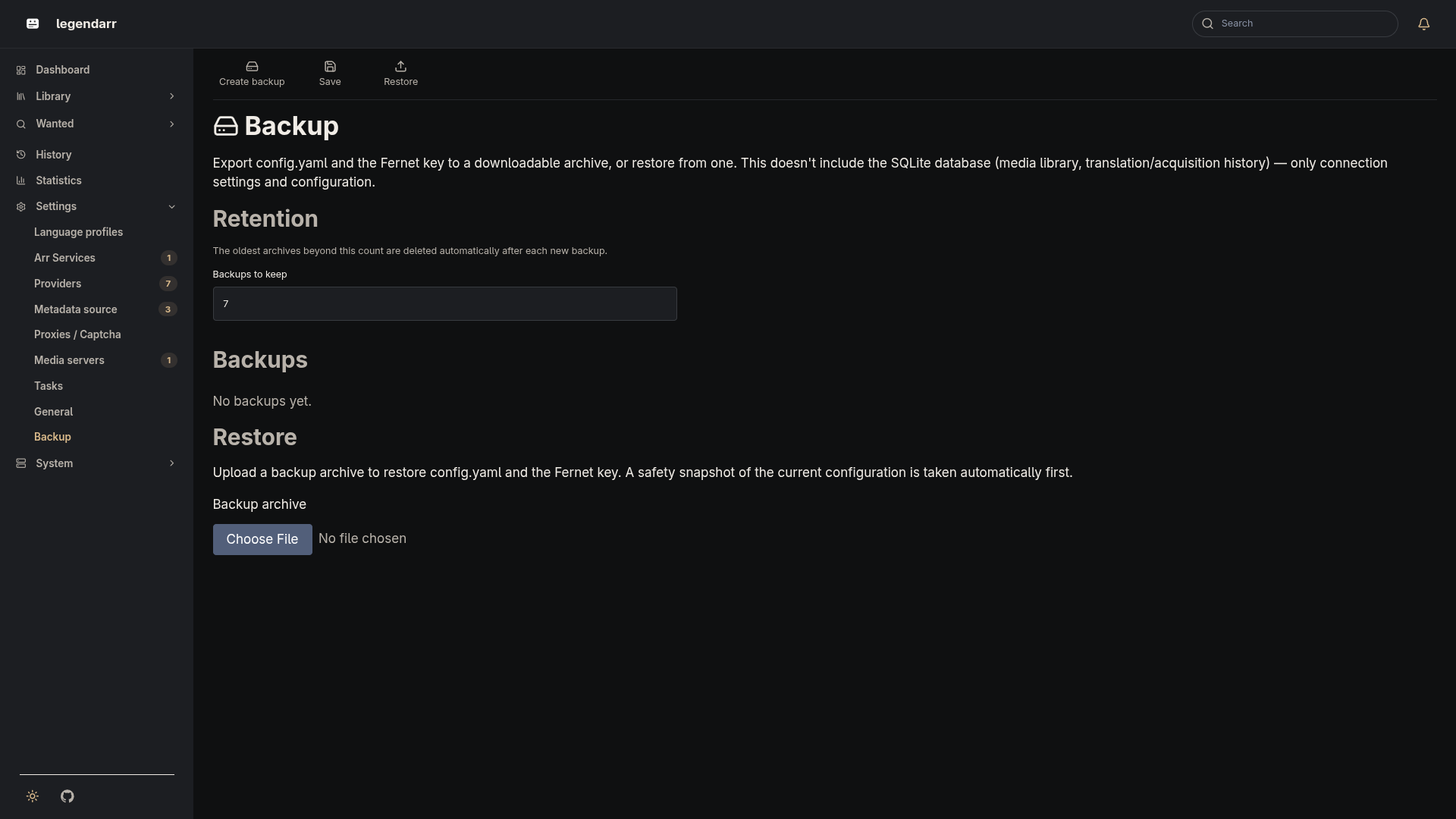
Settings → Backup (/settings/backup/) creates a downloadable .zip archive containing:
config.yaml— Radarr/Sonarr connection, task/translation/webhook settings, authentication config, UI locale. Already encrypted at rest (*_api_key,auth_password_hash), so the archive carries the same ciphertext that's on disk..secret_key, the Fernet key used to encrypt those fields — included only when it's actually a file in the data directory. IfLEGENDARR_SECRET_KEYis set, the key lives in the environment instead, and the archive omits it (there's nothing on disk to copy).manifest.json— when the archive was created, and whether the key was bundled.
Scope
Backups don't include the SQLite database. Restoring on a new host brings back connection settings and configuration, not the media library, language profiles, or translation/acquisition history — those stay wherever the database file lives.
Retention
The Backup page has one setting, "Backups to keep" (backup_retention_count, default 7, also settable via LEGENDARR_BACKUP_RETENTION_COUNT). After each new backup — including the automatic pre-restore snapshot below — the oldest archives beyond that count are deleted.
Restoring
Uploading an archive on the Backup page:
- Validates it — a legendarr backup has a readable
manifest.jsonand aconfig.yamlthat passes the same validation as the live file, and the Fernet key must actually be present if the manifest says it was bundled. An invalid archive is rejected with no changes made. - Takes one ordinary backup of the current configuration first, so a bad restore can itself be undone from the list.
- Overwrites
config.yaml(and.secret_key, if bundled) in the data directory.
Restoring doesn't restart legendarr for you — config.yaml, the Fernet cipher, and the scheduler are all read once into process memory, and safely reloading all of that live is out of scope here. The Backup page tells you to restart the process/container once the files are written; the restored configuration takes effect on that next start.
Moving to a new host: if the original install used the auto-generated key file (the common case), set LEGENDARR_SECRET_KEY to that key's value on the new host before restoring, or the encrypted fields in the restored config.yaml won't decrypt — see the environment variables reference for how to generate/read one.